VWorld2 Add App to Home Screen Tutorial
Follow the illustrated steps below to add app to home screen on VWorld2 (v-world-2.com) in just a few taps.
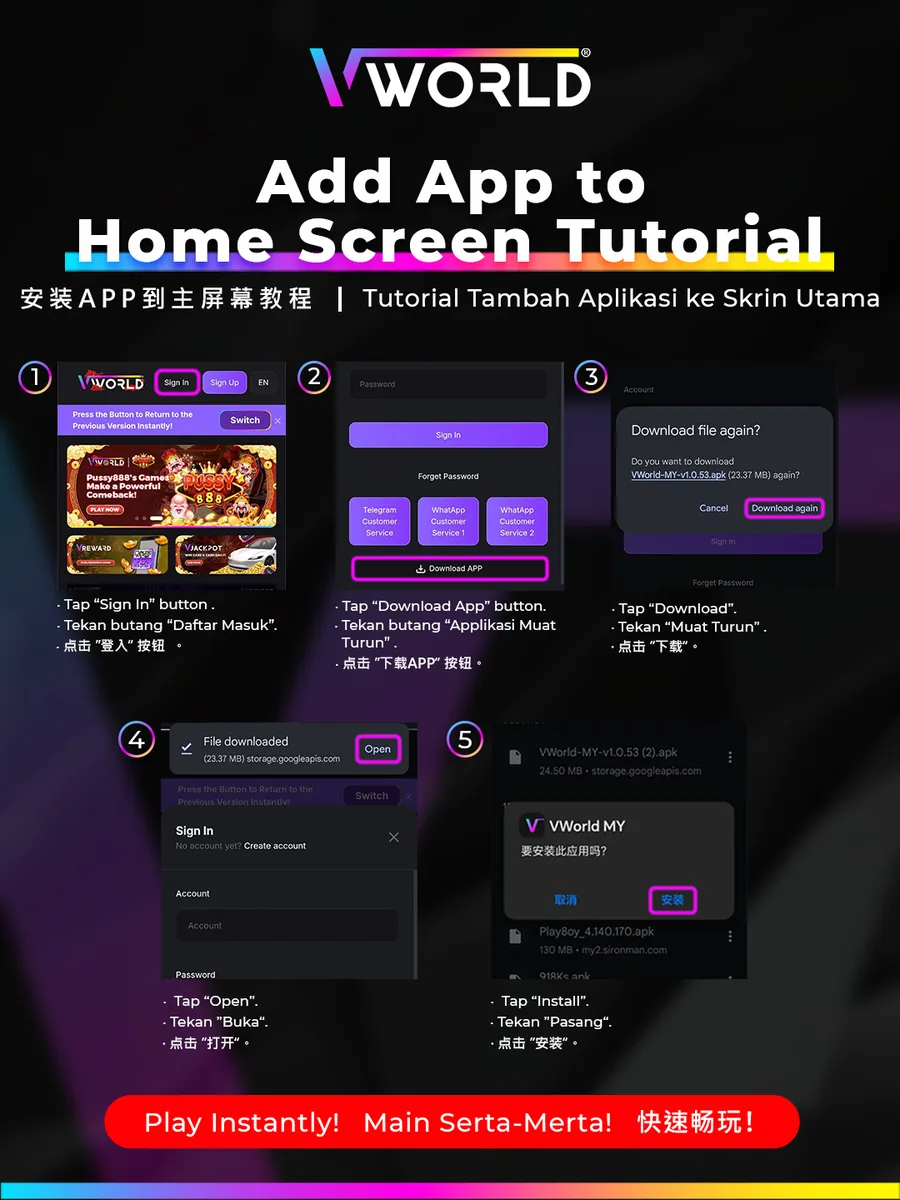
Step-by-Step
- Tap “Sign In”.
- Tap “Download App”.
- Tap “Download”.
- When the file finishes downloading, tap “Open”.
- Tap “Install” to add VWorld2 to your home screen.
Installing the app lets you play instantly and get the latest offers.