VWorld2 Touch ’n Go Top-Up Tutorial
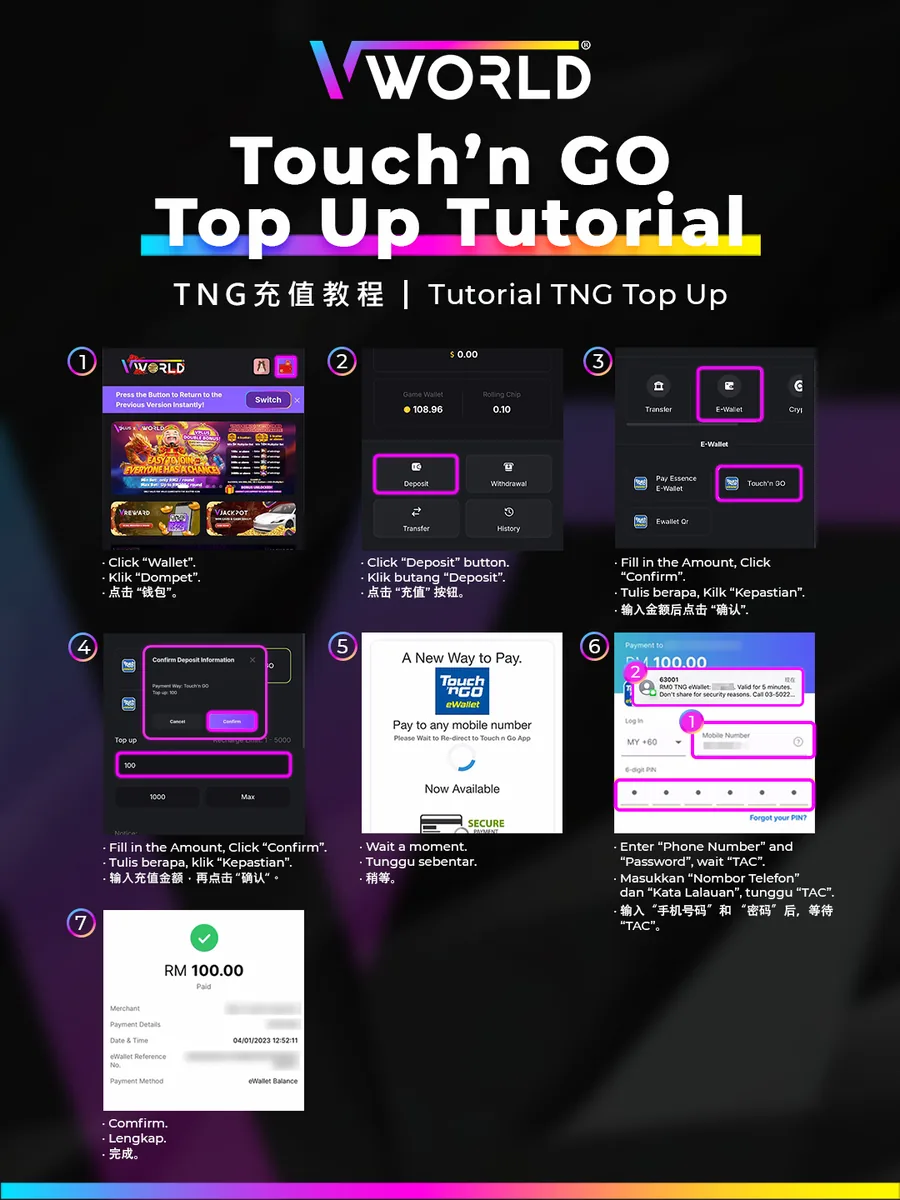
Follow the illustrated steps below to touch ’n go top-up on VWorld2 (v-world-2.com) in just a few taps.
Step-by-Step
- Tap “Wallet”.
- Tap “Deposit”.
- Swipe to “E-Wallet”, select “Touch ’n GO”, enter the amount and tap “Confirm”.
- Confirm the deposit information.
- Wait to be redirected to the Touch ’n Go app.
- Enter your phone number and PIN, then wait for the TAC.
- Confirm — your payment is complete.