VWorld2 TNG Withdrawal Tutorial
Follow the illustrated steps below to tng withdrawal on VWorld2 (v-world-2.com) in just a few taps.
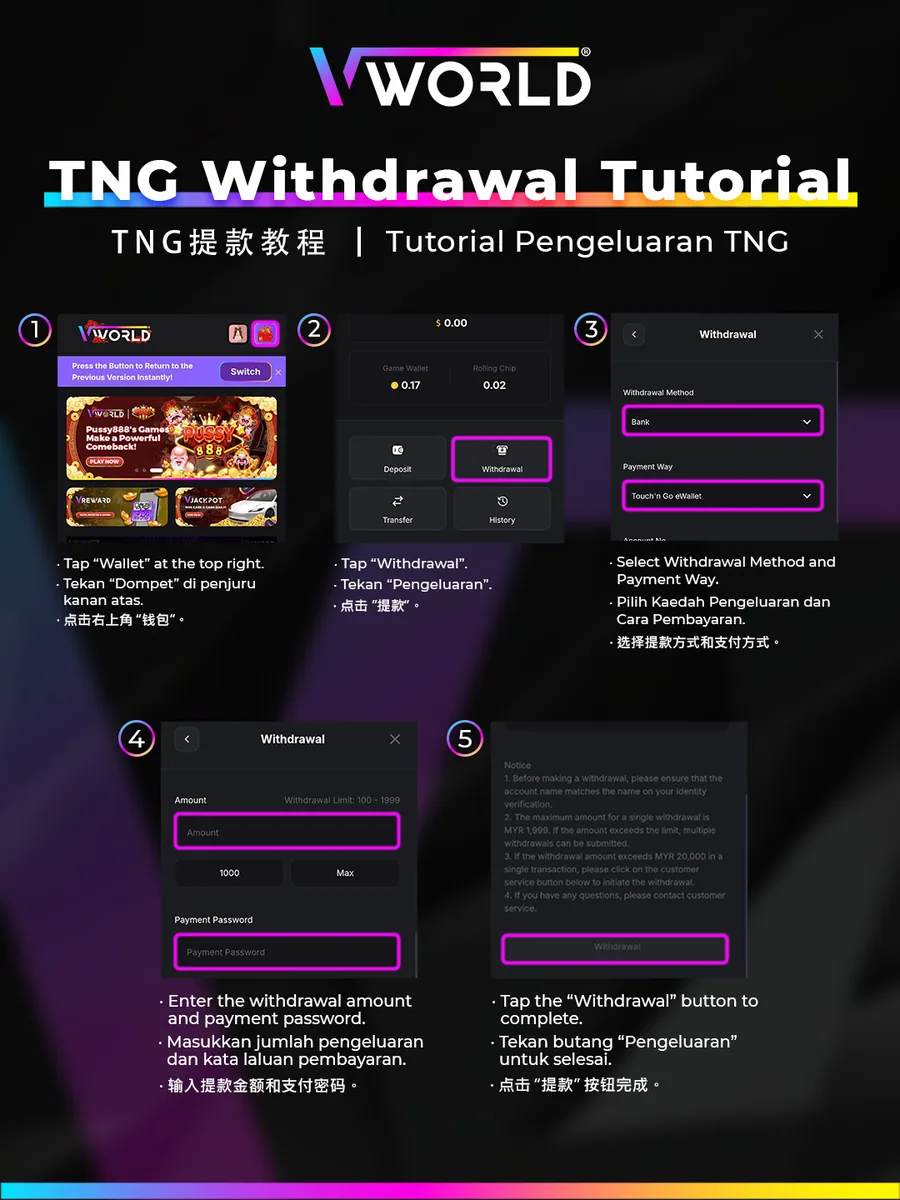
Step-by-Step
- Tap “Wallet” at the top right.
- Tap “Withdrawal”.
- Select Withdrawal Method “Bank” and Payment Way “Touch ’n Go eWallet”.
- Enter the withdrawal amount and your payment password.
- Tap the “Withdrawal” button to complete.